LINES & EDGES · PUBLISHED OCTOBER 22, 2026
Coloring Page Maker: Does Simplified Remove the Background?
No: Simplified is a line-tracing preset, not an automatic background remover. In this coloring page maker, a strong edge in the background can still become a line. Choose a picture with a plain backdrop, or crop a separate copy before converting. Changing the preset alone cannot promise a clean cutout of the subject.
Try the Coloring Page Maker · Maker Help & Guides
Published October 22 as the catch-up guide for the missed October 21 daily slot. The check below was performed October 22.
What should I try first?
- Pick a clear subject against a simple, contrasting backdrop.
- If unnecessary scenery is near the edges, crop a copy in your device's photo editor. Keep the original.
- Start with Clean Outline or Simplified, press Make, and inspect both subject and background.
- If background lines remain, change the source picture or edit its background before selecting the revised copy. Save any result you want before replacing it.
Cropping removes only material outside the crop. A fence or patterned fabric immediately behind the subject can remain in the picture. This tool does not currently offer a subject-selection mask. See the same-source crop guide for framing, rather than expecting a preset to decide which objects matter.
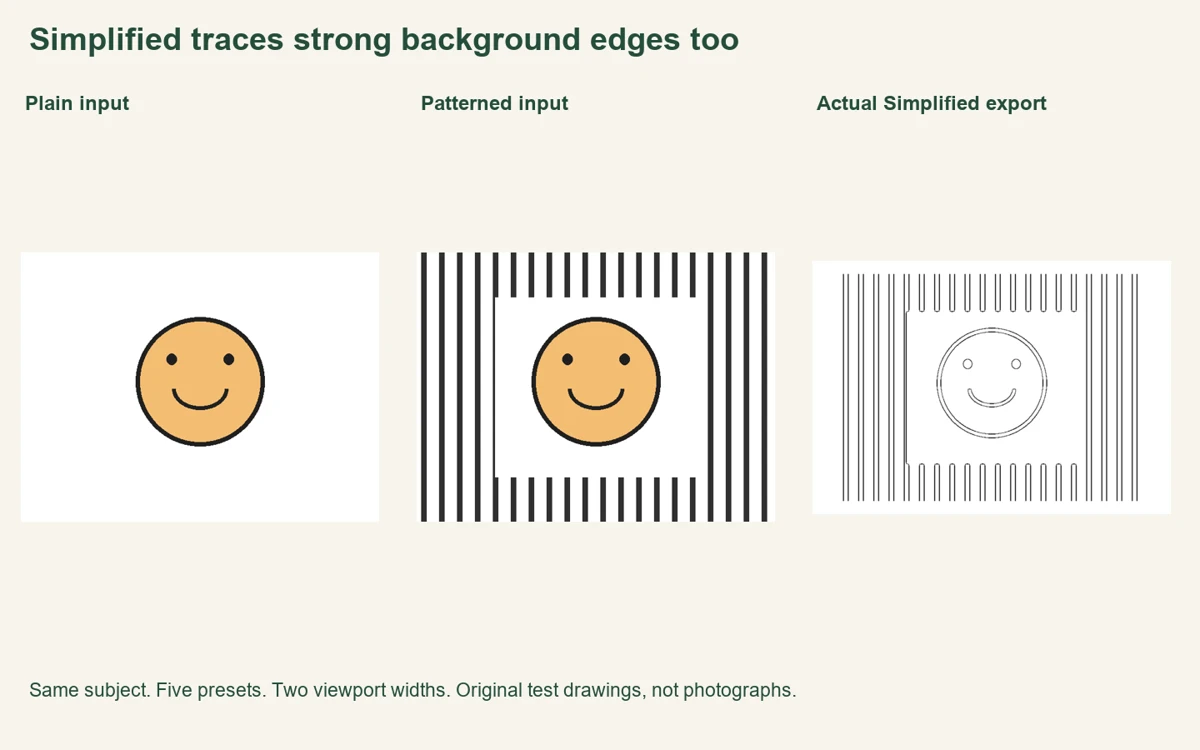
Our twenty-export background check
We drew one 640 × 480-pixel source with an orange circular face on white. A second source kept the face and its central white area identical, but added dark vertical bars outside it. Each bar was ten pixels wide, repeating every thirty-two pixels. This made the unwanted background easy to distinguish from the subject without using anyone's personal photograph. You can download the plain source and patterned source.
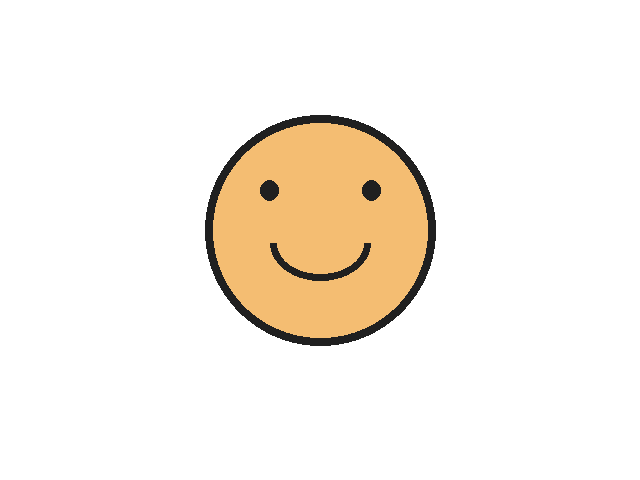
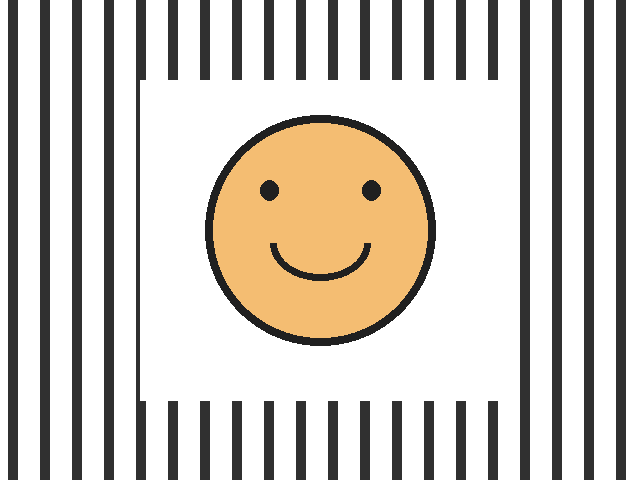
On October 22, we opened the actual production tool in fresh Chromium contexts at 390-pixel and 1440-pixel viewport widths. At each width, we selected the plain drawing and made a PNG in Clean Outline, Detailed, Simplified, Bold Comic and Pencil Sketch. We repeated all five presets with the patterned drawing. A4 stayed selected throughout. That produced twenty real PNG downloads: two sources times five styles times two widths. We used the normal file chooser and Make button, not a separate implementation of the tracing algorithm.
For a repeatable background measurement, we chose the source rectangle from x=20 to 120 and y=80 to 400. It lies well left of the face and its central white rectangle. We mapped those coordinates into each 3508 × 2480-pixel landscape export using the current centered fit dimensions, then counted grayscale pixels below 128. The percentage is that dark-pixel count divided by the measured rectangle's pixel count, multiplied by one hundred. It describes this background rectangle, not the darkness of the whole page.
| Preset | Plain background dark pixels | Patterned background dark pixels |
|---|---|---|
| Clean Outline | 0% | 11.828% |
| Detailed | 0% | 11.828% |
| Simplified | 0% | 11.828% |
| Bold Comic | 0% | 11.828% |
| Pencil Sketch | 0% | 11.828% |
The plain-background rectangle contained zero such dark pixels in all five presets. The patterned-background rectangle measured 11.828% in each preset at both widths. Equal percentages do not prove the entire five outputs are identical, nor do they make one preset better than another. Here, the bars were deliberately dark and distinct: all five presets retained their edges, including Simplified. We also compared SHA-256 hashes: each source-and-style combination matched between the two viewport widths. That is a consistency check for these files, not a speed or image-quality score.
The useful result is narrow but practical: a line preset did not understand that the bars were an unwanted backdrop. The current browser implementation applies edge processing across the image; it does not use a semantic foreground mask to isolate our face. To repeat the check, keep the paper fixed, choose the two sources, make each style, and inspect the same left-hand rectangle. The measurement record includes mapped coordinates, counts, file sizes, hashes and the tested application fingerprint. The linked source files make the process reproducible.
Will every busy photograph behave like the bars?
No. These two drawings isolate strong geometric edges. Real hair, grass, foliage, blur and low-contrast walls can respond differently. We did not measure a collection of personal photos or test every browser. A low-contrast background may produce fewer visible edges, but the bar check cannot quantify that outcome. For a different failure mode, see why faint edges disappear.
Can I compare styles without selecting my photo again?
Yes. Keep the current source, choose another preset and press Make again. Save useful downloads first; selecting a different preset clears the previous result. Our style-switching workflow explains that behavior. For a different source, use the replacement-photo steps.
Watch the background check
Watch the English explanation and actual comparison. Return to Maker Help & Guides for photo preparation and line troubleshooting. Watch this guide on YouTube.
Sources and scope
Our files and recorded browser check support the measured result; the current tool code explains its scope. We reviewed the official Mimi Panda converter, iColoring generator and Canva guide, in that order. Their reviewed sections describe presets or generation/export choices; they do not establish how this site's Simplified preset treats these bars. We did not test their conversions or reuse their examples.