DEVICES & WORKFLOW · OCTOBER 23, 2026
Coloring Page Maker: Keep Different Downloads Organized
Save each version with a name that includes its subject, style and paper size. This coloring page maker currently suggests the same PNG filename when you change styles or switch between A4 and US Letter. The name alone does not identify the version. Check the current settings, generate again, download, and rename the saved copy before making another version.
Open the Coloring Page Maker · Maker Help & Guides
What names should I use?
For example, use flower-clean-a4.png, flower-simplified-a4.png and flower-clean-letter.png. These are suggested personal names, not names automatically assigned by the site. Use your file manager to rename the actual downloaded copy, or the save dialog if your browser offers one. Avoid changing the file extension.
- Choose the source picture, style and paper size.
- Press Make my coloring page and check the result.
- Download PNG and locate that new file in your Downloads folder or Files app.
- Give it a version-specific name. Open it to check before printing.
- Save the next version separately, then compare the two saved files.
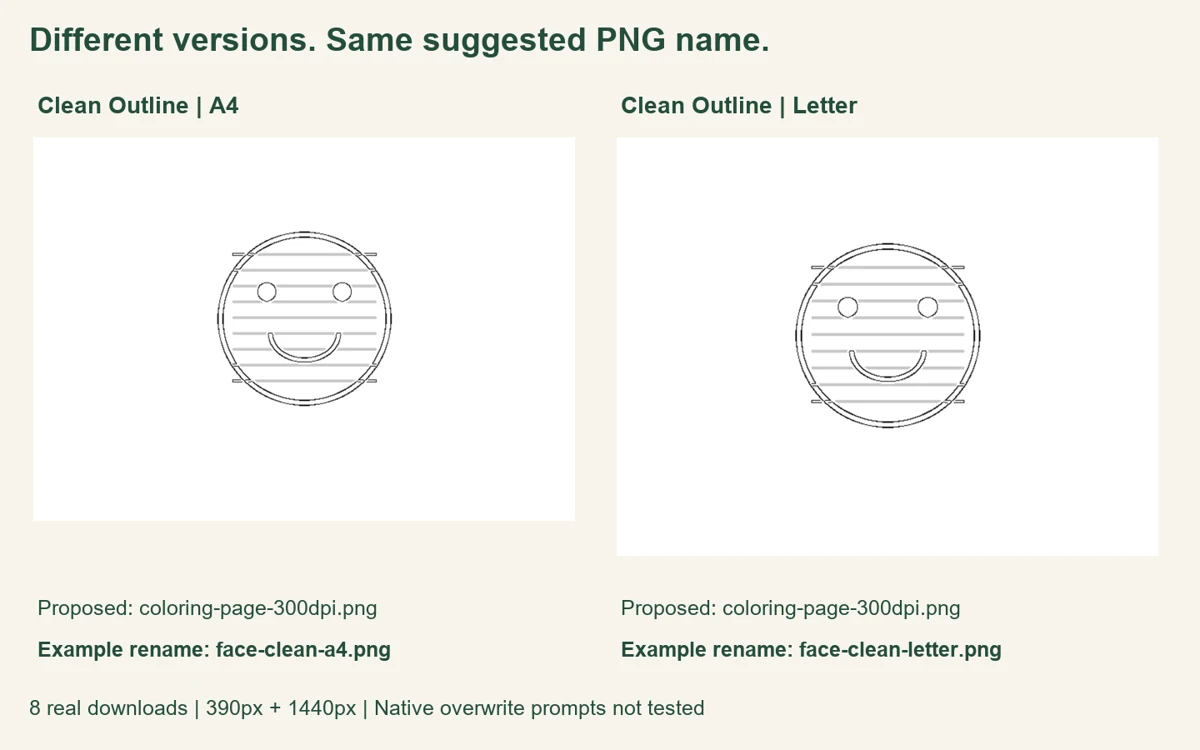
Our eight-download version check
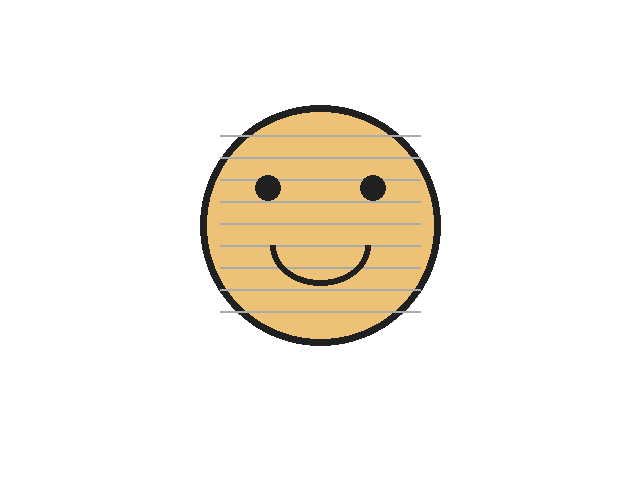
On October 23, 2026, we tested the production tool in fresh Chromium contexts at 390-pixel and 1440-pixel viewport widths. We drew one original 640 × 480-pixel geometric face with dark features and lighter horizontal lines. It was selected once in each context through the normal file chooser. This is a controlled illustration, not a camera photograph. The source PNG is available to repeat the steps.
At each width we made four versions, in order: Clean Outline on A4, Simplified on A4, Clean Outline on US Letter, and Clean Outline on A4 again. We used the normal settings, Make button and Download PNG button. That produced eight actual downloads. Changing an option cleared the result, so we waited for a new result before downloading. We also recorded the selected source label to check that the picture had not been replaced during the sequence.
The browser download event reported coloring-page-300dpi.png as the suggested filename in all eight cases. It did not include the selected style, A4 or Letter, or our input filename. This was observed at both widths. We saved the test copies under separate explicit paths so we could inspect their contents. The automation's separate paths are a record-keeping choice, not evidence of what a normal browser does when that filename already exists.
| Stage, both widths | Suggested PNG name | Decoded dimensions |
|---|---|---|
| clean / A4 | coloring-page-300dpi.png | 3508 x 2480 |
| simple / A4 | coloring-page-300dpi.png | 3508 x 2480 |
| clean / LETTER | coloring-page-300dpi.png | 3300 x 2550 |
| clean / A4 | coloring-page-300dpi.png | 3508 x 2480 |
We decoded every downloaded PNG. The landscape A4 copies measured 3508 × 2480 pixels, while US Letter copies measured 3300 × 2550 pixels. Those page dimensions distinguish the paper formats in this check even though the proposed filename stays the same. Each downloaded image carried approximately 300 DPI metadata. That label describes the output file; it does not recover detail missing from the source illustration or measure a physical print.
We computed SHA-256 fingerprints of the saved files. At each width the first and final Clean Outline/A4 copies matched exactly. The Letter copy differed from the first A4 copy. Each matching stage also had the same fingerprint at the two viewport widths. After every new download, we checked the first explicitly saved test copy again: its fingerprint stayed unchanged. These checks tie the recorded files to the sequence, rather than relying on their generic proposed name.
The selected source label also stayed the same within each four-step run. We did not test every browser, native phone download manager, cloud folder, or overwrite prompt. Some environments may add suffixes, ask for a location or offer a replacement choice. Our check establishes the name proposed by this tool and the contents of separate saved copies; it does not promise how your operating system resolves duplicate names. The recorded method and hashes document this boundary.
Does changing a setting update a file I already saved?
A new generation creates a new result in the tool. Use the next download as a separate version and inspect its settings before saving. Our separately saved first copy stayed unchanged throughout the check. If your browser asks whether to replace an existing file, choose a new name when you want to keep both. For the paper change itself, follow switching A4 and Letter.
Should I keep PNG or PDF?
This filename experiment tested PNG downloads. For document printing, see PNG versus PDF. Keep a clear name for whichever format you save. A downloaded image is not a saved editable Maker project; read what to save before refreshing before leaving the tool.
Watch the version-saving steps
Watch the English guide, or return to Maker Help & Guides. Watch this guide on YouTube.
Sources and scope
Our download events, saved-file dimensions and fingerprints support the results above. We reviewed the official Mimi Panda converter, iColoring generator and Canva guide, in that order. Their reviewed sections explain conversion and export options. They do not establish this site's suggested filenames. No competitor conversion, account, search-volume estimate or ranking claim is part of our check.