CONTROLLED BACKGROUND TEST · OCTOBER 7, 2026
Coloring Page Maker: What Happens to a Transparent PNG?
This coloring page maker accepts transparent PNGs, but the downloaded coloring page has an opaque white background. In our controlled balloon test, a transparent input and the same artwork on white produced identical PNG pixels. It is useful for a white coloring sheet; it does not preserve a cut-out background.
Try your image in the coloring page maker →
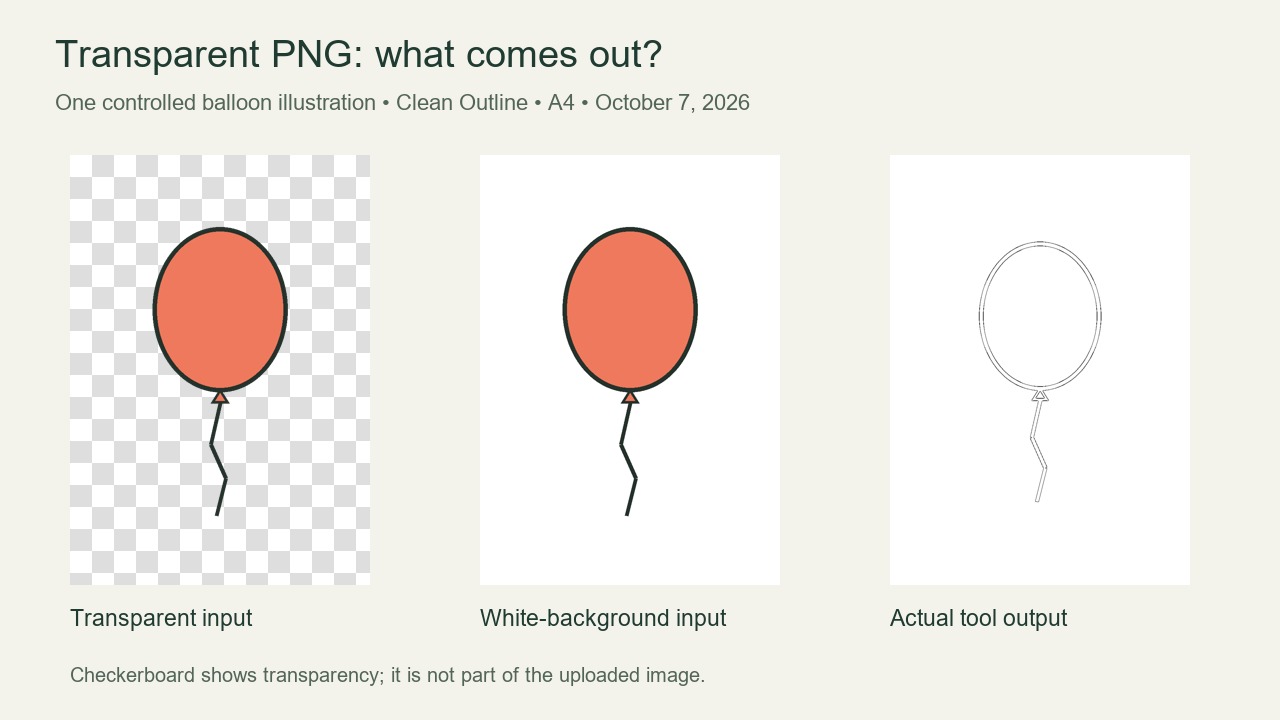
One drawing, two inputs, two real downloads
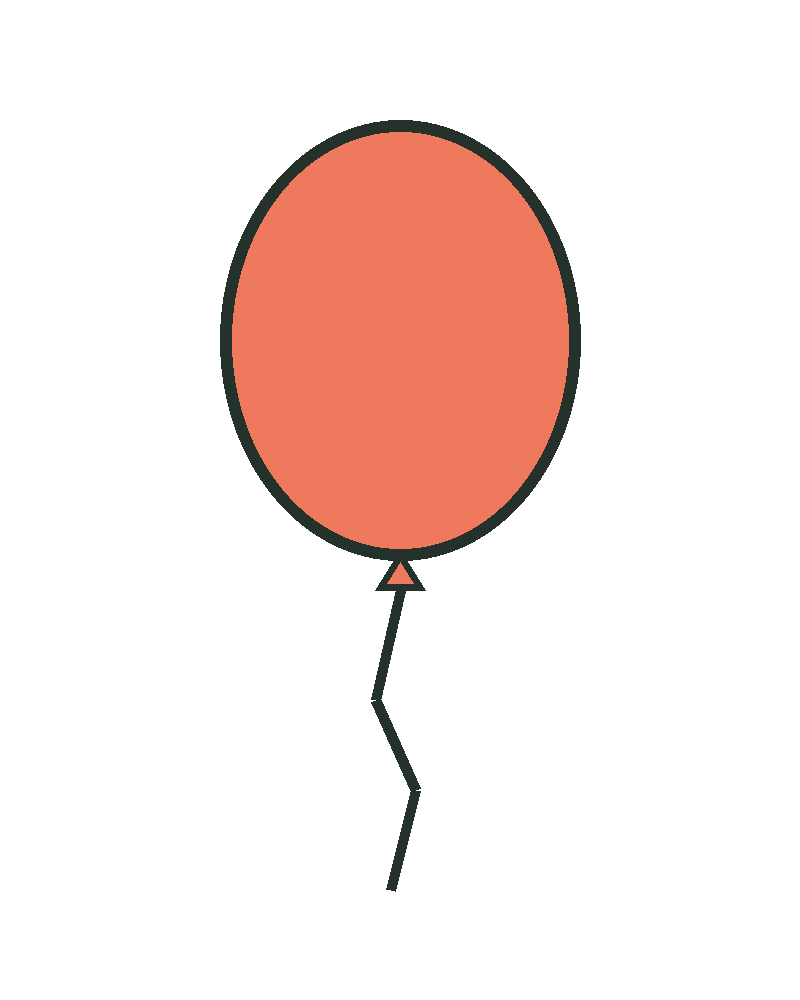
We created a simple red balloon with a dark outline and bent string, then saved it in two versions. The first left the surrounding pixels fully transparent. The second placed exactly the same artwork on solid white. Both files measured 800 × 1,000 pixels. These are controlled illustrations, not photographs or independently drawn examples.
On October 7, 2026, we uploaded each file separately to the live browser tool, selected Clean Outline and A4, generated a page, and saved the PNG download. We inspected the two saved files with Python and Pillow: image dimensions, alpha-channel minimum and maximum, the top-left pixel, and equality of decoded RGBA pixels. The comparison concerns the downloaded images, rather than how a browser displays transparency.
| Measured property | Transparent input run | White input run |
|---|---|---|
| Output dimensions | 2,480 × 3,508 pixels | 2,480 × 3,508 pixels |
| Alpha minimum / maximum | 255 / 255 | 255 / 255 |
| Top-left RGBA pixel | 255, 255, 255, 255 | 255, 255, 255, 255 |
| File size | 387,306 bytes | 387,306 bytes |
| Decoded pixel comparison | Exactly equal | |
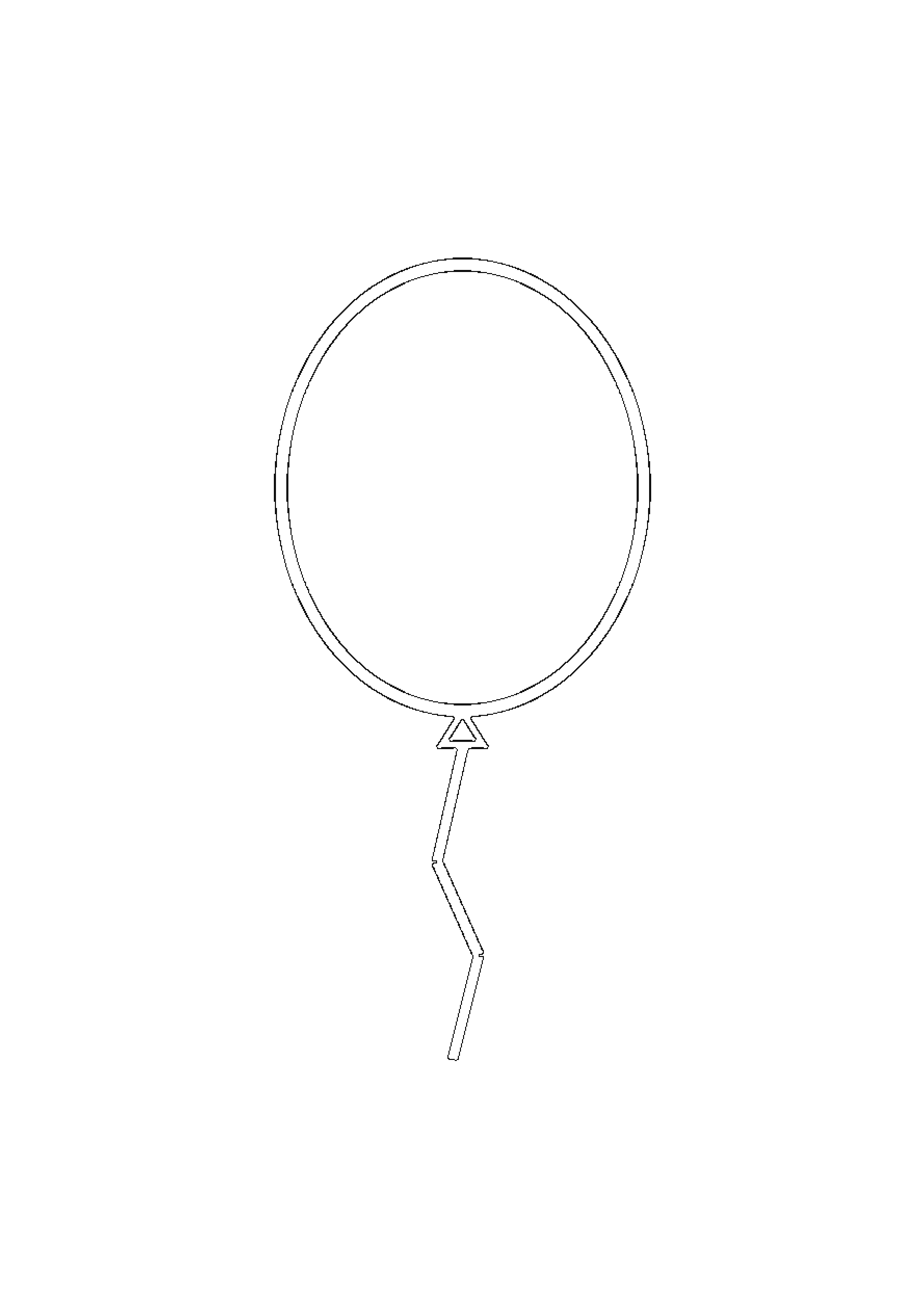
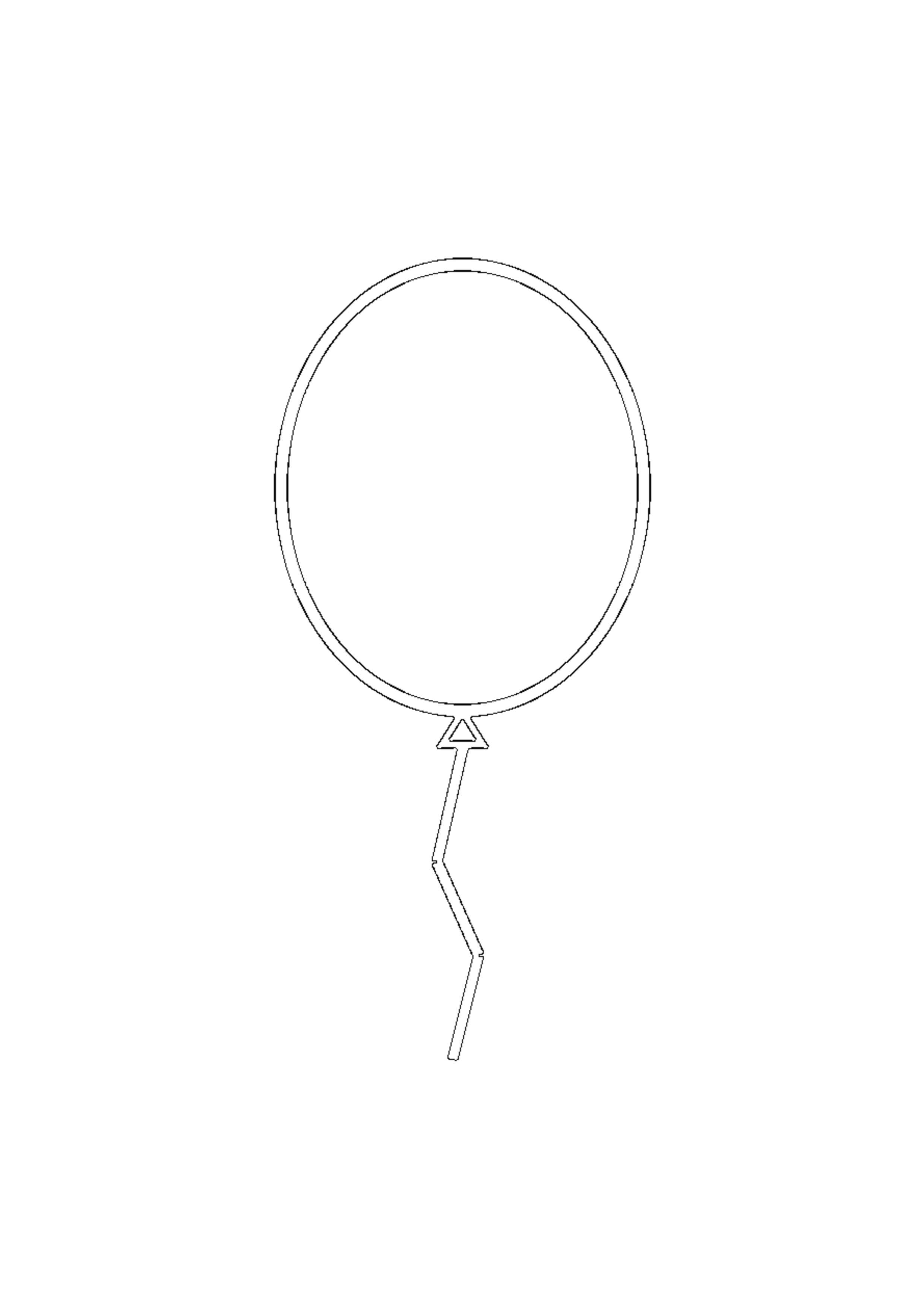
Both exports have an RGBA channel layout, but every alpha value is 255: fully opaque. Having an alpha channel does not mean a file contains transparent pixels. The identical outputs show that these two backgrounds made no difference for this particular illustration and setting.
Reproduce the check with our transparent input and white input. Inspect the transparent-input output, white-input output, and measurement record with file hashes.

Why the background turns white
We also inspected this site's current export code. It fills the working canvas with white before drawing the uploaded bitmap. Fully transparent areas therefore reveal that white canvas. After processing the edges, the tool places the result on another white paper canvas. That sequence explains the opaque output observed in our two runs.
This is not a background-removal workflow. Transparency describes pixels that are already transparent in the input; it does not tell the tool which visible scenery to erase. A busy photograph can still leave background lines. Our actual balloon result also contains paired outline edges around parts of the drawing. We kept those marks in the evidence rather than replacing the output with a cleaner illustration.
What to do if you need a transparent outline
For an ordinary coloring sheet, keep the white page and inspect whether its lines are comfortable to color. If your next step requires a transparent graphic for placing over another design, this download needs further editing in an image editor. Saving it as PNG alone does not remove the white pixels. Do not assume a white-looking preview is transparent; inspect the alpha channel or view the file over a colored background.
What this test does not establish
We tested one balloon, fully transparent surroundings, one style, and one paper setting. We did not test partially transparent edges, shadows, other styles, or physical printing. Do not use the identical file sizes above to predict sizes for other pictures. For supported inputs, read image requirements; for export choice, read PNG versus PDF.
Why we tested this question
We reviewed the specified tool pages from Mimi Panda, iColoring, and Canva. We did not find a measured, matching transparent-versus-white input comparison in those three pages. Canva mentions transparent PNGs in a separate background-removal feature. Our measurements explain this site's behavior; they do not describe those tools' output.