DEVICES & WORKFLOW · NOVEMBER 7, 2026
Is the Coloring Page Maker Preview the Same as the PNG Download?
In one Chrome test, the final generated-result preview and the downloaded PNG were byte-for-byte identical. Both were 3508 × 2480 pixels. This compares the result shown after generation with its PNG download; it is separate from the smaller style-selection thumbnails, and it does not establish what will happen for every source, style, paper size, or browser.
Open the Maker · Maker Help & Guides
The controlled comparison
We created one synthetic 640 × 480 color illustration, uploaded it to the current Maker snapshot in Chrome, selected Clean Outline and A4, and generated a page. We saved the bytes behind the final result preview, then clicked Download PNG and saved that actual download. The preview and download each contained 461,998 bytes, had the same SHA-256 hash, and decoded to 3508 × 2480 pixels. The files matched byte for byte in this one run.
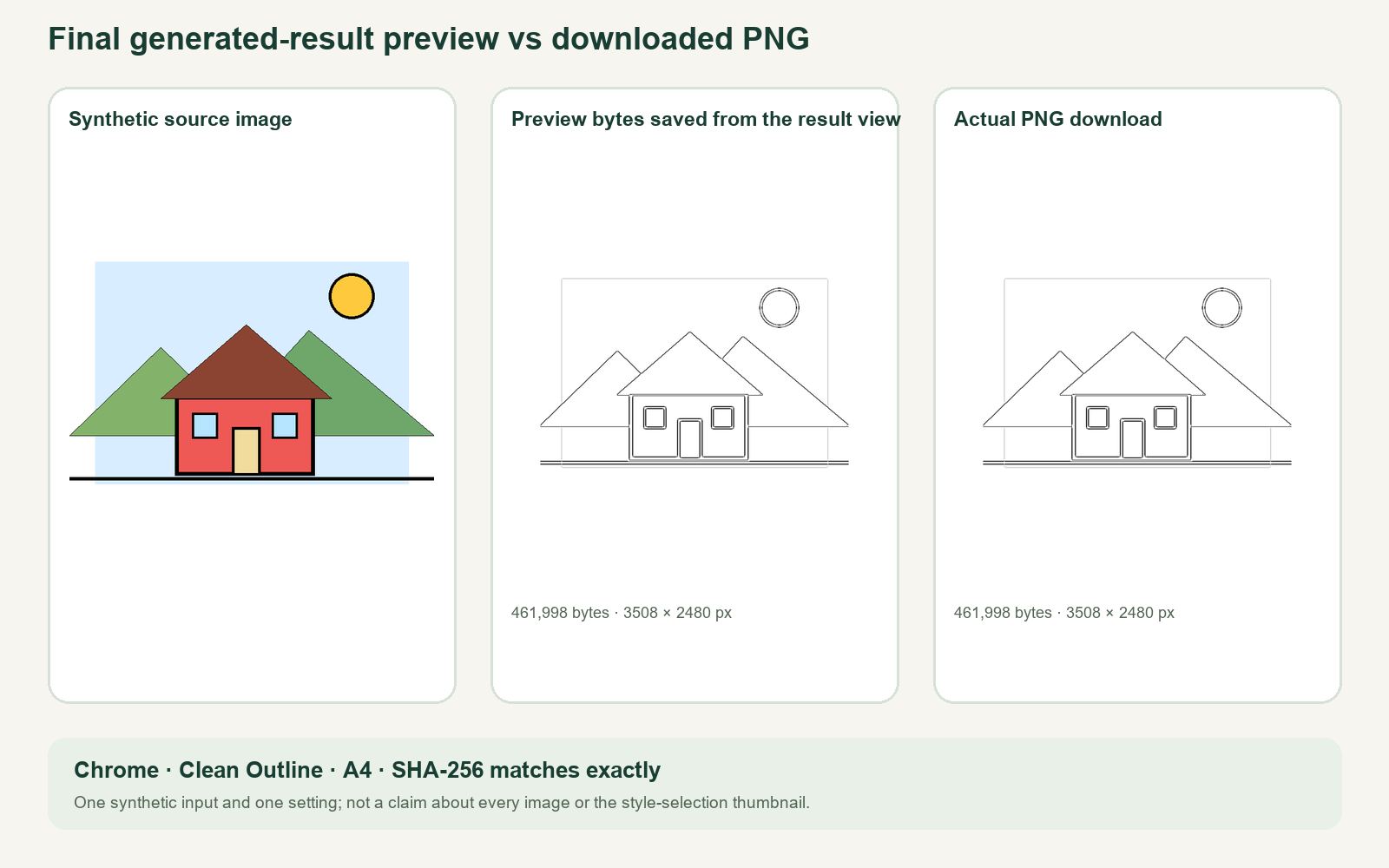
This gives a practical check for one workflow: the visible generated result was the same PNG that the download button produced. We did not compare the style-choice thumbnail with the final result; the thumbnail is a different preview stage. See the style-thumbnail guide for that separate question.
How to check your own result
After generation, review the final result preview and download the PNG. Open the saved file in an image viewer to confirm that it opens and has the intended dimensions. If you need to test whether two downloads match, compare their file hashes or use an image-comparison tool; simply looking at a thumbnail can hide small pixel changes.
Our comparison used one synthetic image and one setting in Chrome 156.0.8078.80. It did not test photos, other Maker styles, other paper sizes, other browsers, PDF exports, or a physical printer. Browser versions and site changes can affect future results, so use the actual download for a task that depends on it.
For more on saving your result, read save before refreshing, visit the Coloring Page Maker, watch the video guide, or browse Maker Help & Guides.
Test records: download measurements and test method.